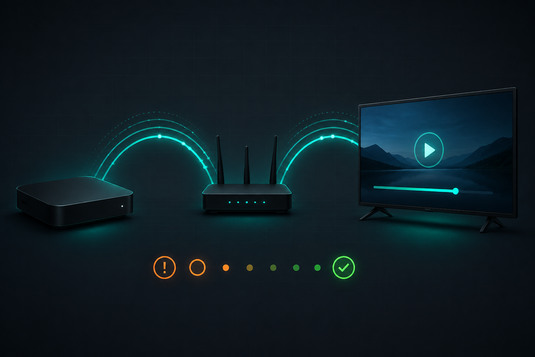
播放卡頓通常並非裝置故障 / Buffering Usually Is Not a Faulty Box
電視盒子播放時出現卡頓、緩衝或畫面停頓,絕大部分情況與網絡環境、路由器位置或裝置設定有關,而非硬件故障。以下十項方法按常見程度及處理難度排列,建議由上而下逐項嘗試。
Buffering, stuttering or pauses during playback are, in the vast majority of cases, caused by your network environment, router placement, or device settings — not by faulty hardware. The ten fixes below are ordered from most common and easiest to resolve, so work through them from the top.
1. 檢查實際網絡速度 / Check Your Actual Internet Speed
高清串流建議下載速度不低於 25Mbps;4K 內容則建議 50Mbps 以上。請注意,合約標示速度與實際到達電視位置的速度可能有明顯差距,建議在電視附近以手機進行測速。
We recommend at least 25Mbps download for HD streaming, and 50Mbps or more for 4K. Note that your contracted speed and the speed actually reaching your TV can differ substantially — test with a phone next to the TV.
2. 改用 5GHz 頻段 / Switch to the 5GHz WiFi Band
2.4GHz 頻段容易受微波爐、藍牙裝置及鄰近網絡干擾。如路由器支援雙頻,將電視盒子連接至 5GHz 頻段通常可即時改善。
The 2.4GHz band is easily congested by microwaves, Bluetooth devices and neighbouring networks. If your router is dual-band, moving the box to 5GHz often produces an immediate improvement.
3. 減少距離與阻隔 / Reduce Distance and Obstructions
牆身(尤其混凝土)、金屬家具及魚缸均會顯著削弱無線訊號。可嘗試將路由器移至較開揚位置,或將裝置與路由器安置於同一樓層。
Walls (especially concrete), metal furniture and even fish tanks significantly weaken WiFi. Try relocating the router to a more open position, or keeping the box and router on the same floor.
4. 重新啟動路由器及電視盒子 / Restart Both Router and TV Box
將路由器斷電 30 秒後重新開啟,並同時重啟電視盒子。此步驟可清除暫存狀態並重新選擇網絡頻道,能解決相當比例的卡頓情況。
Power off the router for 30 seconds, then restart both it and the TV box. This clears temporary glitches and lets the router reselect a cleaner channel — it resolves a surprising share of buffering cases.
5. 減少同時連接的裝置 / Reduce Simultaneous Devices
如家中同時有其他裝置下載大型檔案、進行網絡遊戲或串流 4K 內容,可用頻寬將被分薄。可於播放時暫停其他裝置的網絡活動,以確認是否為成因。
If someone is downloading large files, gaming, or streaming 4K elsewhere in the house, bandwidth gets divided. Pause other devices during playback and see whether the problem disappears.
6. 檢查並釋放儲存空間 / Check and Free Up Storage
儲存空間接近用盡會拖慢整體系統反應。建議定期清理不再使用的應用程式及快取檔案,並保留至少 15–20% 可用空間。
Storage close to full slows the whole system down. Clear unused apps and cached files periodically, and try to keep at least 15–20% of storage free.
7. 保持系統及應用程式更新 / Keep System and Apps Updated
較舊版本可能存在已知的效能問題或兼容性缺陷。定期檢查系統及應用程式更新,通常可解決部分難以定位的間歇性問題。
Older builds may carry known performance issues or compatibility bugs. Checking for system and app updates regularly often resolves intermittent problems that are otherwise hard to pin down.
8. 避免非必要使用 VPN / Avoid Unnecessary VPN Use
VPN 會將流量繞經額外伺服器,必然增加延遲並降低速度,是卡頓的常見成因之一。另請特別注意:本裝置不得於中國大陸使用,亦不得連接任何中國大陸網絡(包括透過 VPN)。
A VPN routes traffic through an additional server, which inevitably adds latency and reduces throughput — a frequent cause of buffering. Please also note: this device is not to be used in mainland China, nor connected to any mainland China network (including via VPN).
9. 考慮改用有線連接 / Consider a Wired Connection
如裝置設有乙太網接口,有線連接的穩定性幾乎必然優於無線,特別適合位置固定且追求 4K 穩定播放的使用環境。
If your device has an Ethernet port, a wired connection is almost always more stable than WiFi — particularly worthwhile if the box sits in a fixed position and you want reliable 4K playback.
10. 最後步驟:還原原廠設定 / Last Resort: Factory Reset
若以上方法均無法解決,可於設定中選擇「更多」→「重置」,將裝置還原至原廠狀態並重新設定。還原前請先記錄現有設定及已安裝的應用程式。
If none of the above helps, go to settings, choose "More" → "Reset" to restore factory defaults, then set the device up again. Make a note of your settings and installed apps first.
問題仍未解決 / Still Not Resolved?
如完成上述步驟後問題仍然存在,可能涉及硬件問題。請參閱我們的 問題排解頁面,或查閱 售後服務與保固,亦可直接 聯絡我們。
If the problem persists after all of the above, it may be hardware-related. See our Troubleshooting page, review After-Sales Service & Warranty, or contact us directly.
延伸閱讀 / Related Reading
支援與教學 / Support & Guides
- 查詢訂單 — Track Your Order(輸入訂單編號即可查看物流狀態 / live carrier status)
- 小雲盒子完整安裝教學 — Complete Setup Guide
- 問題排解 — Troubleshooting
- 產品常見問題 — Product FAQs
- 售後服務與保固 — After-Sales & Warranty